LocalNode
How it worksDemoAppsPricingFAQShop now
← All guides
Home/Community/Best Jellyfin Plugins to Install

Best Jellyfin Plugins to Install

Media
Beginner
5 min read
Published: May 7, 2026

Was this helpful?

Help us improve our community guides.

In this guide

  • Overview
  • How to install plugins
  • Top Metadata Plugins
  • Top Feature Enhancements
  • Next Steps

Need direct help?

LocalNode Care Plan members get priority remote support.

Email Support →

More in Media

Adding Your Movie and Tv Collection to Jellyfin

Adding Your Movie and Tv Collection to Jellyfin — Step-by-step guide for your LocalNode.

5 min read

Automating Subtitles with Bazarr

Automating Subtitles with Bazarr — Step-by-step guide for your LocalNode.

5 min read

Complete Jellyfin Setup Guide for Localnode

Complete Jellyfin Setup Guide for Localnode — Step-by-step guide for your LocalNode.

5 min read
LocalNode

Plug-and-play home server. Your data, your hardware, your rules.

Product

How it worksDemoAppsCommunityPricingFAQ

Support

ContactShipping & ReturnsTrack Order

Legal

Privacy PolicyTerms of ServiceShipping Policy
© 2026 LocalNode. Built for people who value their privacy.Denton, TX · hello@localnode.tech

Jellyfin's open-source nature means anyone can build extensions for it. Plugins allow you to customize how your server fetches metadata, add new features, and connect to third-party services.

Overview

While Jellyfin works great out of the box, installing a few key plugins can drastically improve your metadata scraping (getting the right movie posters) and playback experience. This guide covers the essential plugins we recommend for every LocalNode.

How to install plugins

Installing plugins in Jellyfin is incredibly straightforward, as there is a built-in plugin catalog.
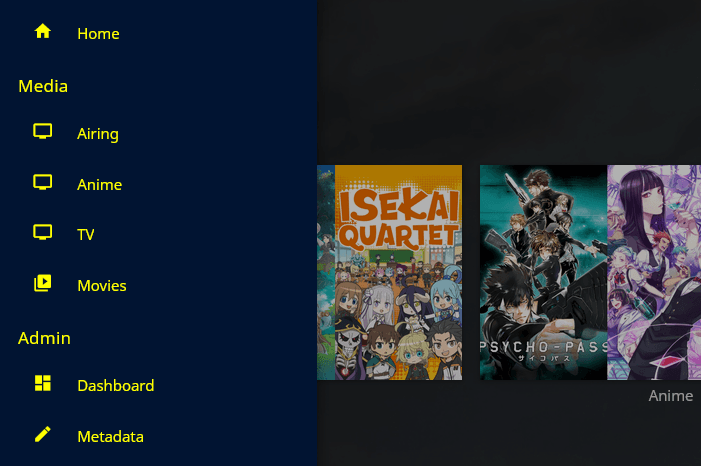
  1. Log into your Jellyfin dashboard with your Admin account.
  2. Go to Administration > Dashboard.
  3. In the left sidebar under Advanced, click Plugins.
  4. Click on the Catalog tab at the top.
  5. Find the plugin you want, click on it, select the latest version, and click Install.
  6. Crucial: After installing any plugin, you must restart the Jellyfin server for it to take effect. You can do this from the main LocalNode dashboard by clicking "Restart App" next to Jellyfin.
Jellyfin web dashboard showing administrative panels comparable to the plugin catalog.
Illustration from archived Jellyfin documentation (GPL-2.0); current Jellyfin UI may differ slightly.

💡 Tip: Some third-party plugins require you to add custom "Repositories". In the Plugins menu, click the "Repositories" tab, click "+", and paste the custom URL provided by the plugin developer.

Top Metadata Plugins

These plugins help Jellyfin identify your media files more accurately and download richer metadata.

  • TMDb Box Sets: Automatically organizes movie sequels into collections (e.g., grouping all the Harry Potter movies into one "Harry Potter Collection" folder). This keeps your main movie library incredibly clean.
  • TheTVDB: The ultimate metadata source for television shows. If TMDB is missing episode names or plot summaries for an obscure TV show, TheTVDB plugin will usually find them.
  • Fanart: Downloads high-quality, community-made transparent logos, CD art, and beautiful backdrop images to make your library look much more premium.

Top Feature Enhancements

  • Intro Skipper: Analyzes your TV shows to detect the audio fingerprint of the theme song, and gives you a Netflix-style "Skip Intro" button. This requires adding a custom repository (check the official Jellyfin forums for the latest URL).
  • Playback Reporting: Keeps track of what your users are watching, how long they watch, and whether their streams are buffering. Great for managing servers shared with many family members.
  • Webhooks: Allows you to send notifications to Discord, Slack, or email whenever a new movie is added or when someone starts playing a video.

⚠️ Warning: Installing too many plugins, especially complex ones like Intro Skipper, can slow down your server's initial media scans. Only install the plugins you actually need.

Next Steps

  • Organizing your Jellyfin library the right way
  • Fixing Jellyfin metadata manually

Need help? Email hello@localnode.tech or visit localnode.tech/contact.