LocalNode
How it worksDemoAppsPricingFAQShop now
← All guides
Home/Community/The Best AdGuard Home Blocklists in 2026

The Best AdGuard Home Blocklists in 2026

AdGuard
Beginner
5 min read
Published: May 7, 2026

Was this helpful?

Help us improve our community guides.

In this guide

  • Overview
  • How to add a blocklist
  • The Essential Blocklists
  • Malware and Phishing Lists
  • Smart TV Tracking Lists
  • Next Steps

Need direct help?

LocalNode Care Plan members get priority remote support.

Email Support →

More in AdGuard

AdGuard Home Parental Controls

AdGuard Home Parental Controls — Step-by-step guide for your LocalNode.

5 min read

AdGuard Home vs Pi-hole: Why We Chose AdGuard

AdGuard Home vs Pi-hole: Why We Chose AdGuard — Step-by-step guide for your LocalNode.

5 min read

Complete AdGuard Home Setup Guide

Complete AdGuard Home Setup Guide — Step-by-step guide for your LocalNode.

5 min read
LocalNode

Plug-and-play home server. Your data, your hardware, your rules.

Product

How it worksDemoAppsCommunityPricingFAQ

Support

ContactShipping & ReturnsTrack Order

Legal

Privacy PolicyTerms of ServiceShipping Policy
© 2026 LocalNode. Built for people who value their privacy.Denton, TX · hello@localnode.tech

AdGuard Home is only as good as the blocklists it uses. Out of the box, it uses the standard "AdGuard DNS filter", but adding community-curated lists will block significantly more trackers, malware, and smart TV telemetry.

Overview

A blocklist is simply a text file containing thousands of known malicious or advertising web domains (like ads.doubleclick.net). AdGuard Home downloads these lists daily and uses them to block bad traffic. However, adding too many lists can break legitimate websites, so curating a tight, highly effective list is the best approach.
How to add a blocklist

  1. Log into your AdGuard Home dashboard.
  2. Click Filters > DNS blocklists in the top menu.
  3. Click the green Add blocklist button.
  4. Click Choose from the list to see built-in lists, OR click Add a custom list to paste a URL.
  5. Enter a Name (e.g., "OISD") and paste the URL.
  6. Click Save.
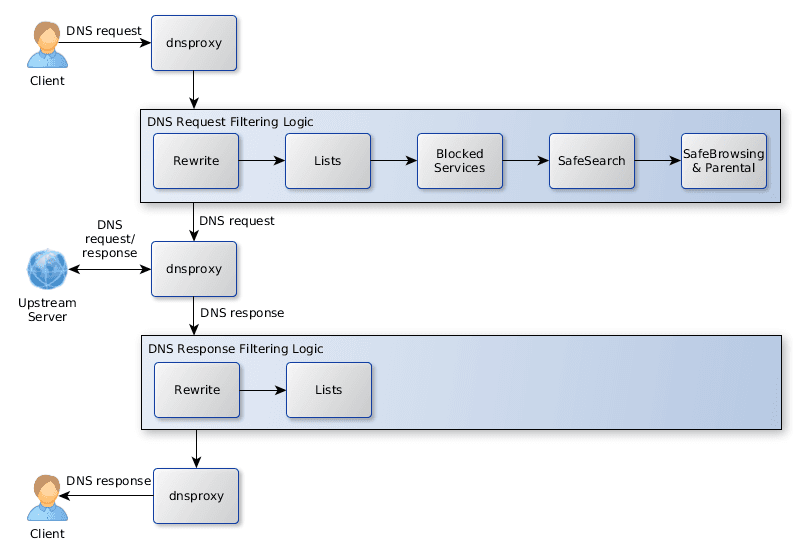
AdGuard Home documentation screenshot demonstrating DNS blocklists and filtering concepts.
AdGuard Home documentation diagram (AdguardTeam/AdGuardHome, GPL-3.0).

The Essential Blocklists

If you only add one list, make it this one. It blocks ads, trackers, telemetry, and malware, but is heavily moderated to ensure it does not break normal websites.

  • OISD (Big): The absolute best "set it and forget it" blocklist on the internet. It rarely causes false positives.
    https://big.oisd.nl/

Alternative for aggressive blocking:

  • StevenBlack's Unified Hosts: Blocks ads, malware, and fake news. It is slightly more aggressive than OISD and might occasionally block a legitimate shopping link.
    https://raw.githubusercontent.com/StevenBlack/hosts/master/hosts

💡 Tip: You do not need both OISD and StevenBlack. They overlap significantly. We recommend sticking with OISD for the fewest headaches.

Malware and Phishing Lists

Protect your network from ransomware domains and phishing sites.

  • Phishing Army: Blocks newly registered domains known to be used in phishing attacks (fake bank login pages).
    https://phishing.army/download/phishing_army_blocklist_extended.txt
  • URLHaus: A community-driven project that tracks and blocks malware distribution servers.
    https://urlhaus.abuse.ch/downloads/hostfile/

Smart TV Tracking Lists

Smart TVs (Samsung, LG, Roku, Vizio) are notorious for spying on what you watch and sending telemetry data back to their corporate servers every few seconds.

  • Perflyst SmartTV Blocklist: Specifically targets domains used by Samsung, LG, and Roku for tracking and displaying home-screen ads.
    https://raw.githubusercontent.com/Perflyst/PiHoleBlocklist/master/SmartTV.txt

⚠️ Warning: Do not fall into the trap of adding 50 different blocklists to get your "Blocked domains" count into the millions. This will absolutely break streaming services (like Hulu) and email links. Stick to the 3 or 4 high-quality lists mentioned above.

Next Steps

  • How to whitelist a site if a blocklist breaks it
  • Setting up parental controls and Safe Search

Need help? Email hello@localnode.tech or visit localnode.tech/contact.